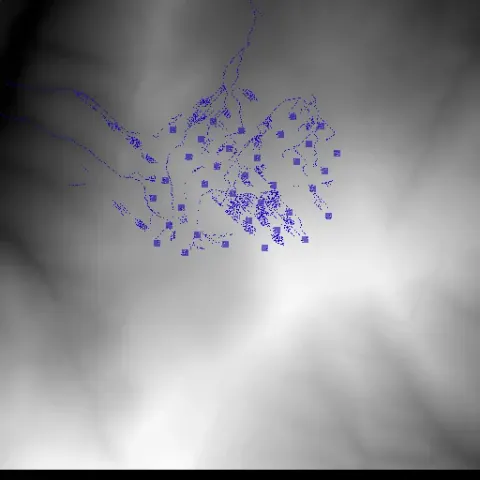
Following the lay of the land.
Waterflow Simulation
An early terrain simulation: click to add water and explore the difficult relationship between shared state, rendering, and time.
- Java
- Swing
- AWT
- Threads
Public source
A landscape as a data structure
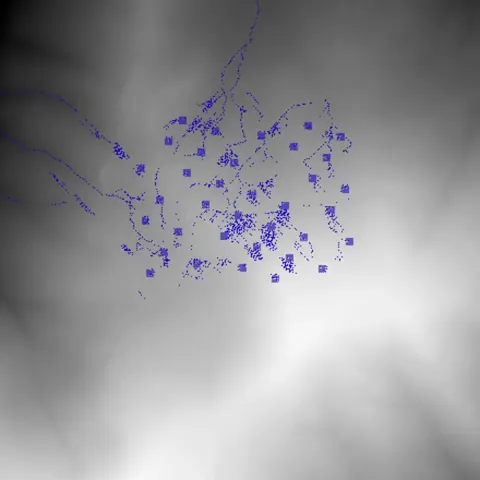
An elevation grid is rendered as a grayscale image. Water is a second image layer. Each point tracks terrain height, water depth, and surface elevation, while neighboring cells provide candidates for downhill movement.
Concurrency is the real subject
The checked-in revision activates one worker, with three others commented out. In a fresh run, water reaching the boundary caused an out-of-range neighbor lookup. This recording uses an isolated copy with an edge guard and a volatile run flag; the terrain, transfer rules, event handler, and Swing renderer are unchanged. It is a visible study of shared state, not a verified four-worker or physically conservative simulator.
TERRAIN GRID → SURFACE HEIGHT → LOWER NEIGHBOUR
     ↑                               │
 click: add water             transfer water
└──────── IMAGE LAYERS ←─────────┘Events and a worker share the same landscape.
- 01 / entry point
Flow
Read terrain; build Swing window
Start one Parallelize worker
- readData → 2. Terrain → Points[][]
- start → 4. Parallelize.run()
- 02 / shared state
Terrain → Points[][]
Height · water depth · surface
Terrain image + water image
- read neighbouring surfaces → 4. Parallelize.run()
- two image layers → 6. FlowPanel
- 03 / event handler
WaterClickListener
Mouse coordinates
Add water to a 7 × 7 patch
- mutate water → 2. Terrain → Points[][]
- 04 / worker thread
Parallelize.run()
Permuted cells → checkNeighbors
transfer() toward lower surface
- mutate depth + image → 2. Terrain → Points[][]
- repaint → 6. FlowPanel
- 05 / lifecycle
Play / Pause / End
Change worker run flags
Reset clears water depth
- run / pause / stop → 4. Parallelize.run()
- 06 / Swing renderer
FlowPanel
paintComponent(Graphics)
Draw terrain, then water overlay
- 1Flow Terrain → Points[][]readData
- 2Flow Parallelize.run()start
- 3WaterClickListener Terrain → Points[][]mutate water
- 4Play / Pause / End Parallelize.run()run / pause / stop
- 5Terrain → Points[][] Parallelize.run()read neighbouring surfaces
- 6Parallelize.run() Terrain → Points[][]mutate depth + image
- 7Parallelize.run() FlowPanelrepaint
- 8Terrain → Points[][] FlowPaneltwo image layers
Read from the implementation
Flow.javaTerrain.javaPoints.javaWaterClickListener.javaParallelize.javaFlowPanel.java
From event to movement
Clicks add water to a seven-by-seven patch. The worker examines neighboring surface heights and transfers water toward a lower cell; a separate transparent image supplies the blue overlay. The film records a sequence of real add-water events and the resulting movement directly from the application’s renderer.
Why keep it in the collection
It brings several systems concerns together in a small, visible world: shared mutable data, event handling, rendering, and worker lifetime. The later visualization projects revisit the same concern—how to let an interface reveal the computation underneath.